Android

Apps World 2012, Day 2, Wednesday 3 October 2012

Last Wednesday, I went along to Day 2 of Apps World 2012, at Earls Court 2. I went for the full day, as there was more of interest during the morning session, especially around the area of Mobile Testing.

My photos from the day are below, some of dodgy quality as all are via my iPhone. There’s also the official photos available at Apps World blog

Here’s my findings, on the days events:

  • I saw several presentations at the Developer Zone and some of these presentations are now available on the Apps World website, either as Audio and/or Slides downloads. The ones I saw on the day included the following:
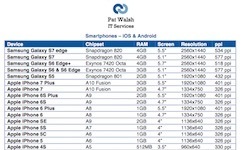
  • - At 1040, the presentation on Mobile Testing, by Becky Wetherill of Borland. This dealt with both areas of Mobile Testing and also Borland’s Silk Mobile testing product. One of the interesting points was that due to the number of different devices, screen sizes and O/S combinations, there’s over 100,000 possible device combinations – obviously impossible to test all of those! Therefore, the Edge Strategy is used, to test minimum and maximum O/S versions, on different devices, with minimum and maximum device screen sizes. There all also many factors which affect an Apps performance and behaviour, including O/S Versions, Screen Size and Chipsets.
  • - At 1110, the Applicasa presentation was interesting and eye-catching – their idea being to take Zombie users out of developers Apps and turn them into active/paying users
  • - At 1120, Tim King, the CTO of 5app, gave his forthright presentation on the amount of cowboys in the world of App development.
  • - At 1130, there was a presentation from Grant Skinner, on Building the Atari Arcade in HTML5 & CreateJS. His company got this projects from Microsoft and Atari and was a way of showcasing HTML5, in this case for games.
  • - After lunch, at 1300, there was then a panel from AQuA – the App Quality Alliance –  which is a non-profit organisation created by Sony, Orange, Oracle, Samsung and many others with the aim of promoting App Quality, mainly in the Android area.
  • - At 1330, there was a presentation from PayPal, on simplifying the payment experience. Part of this covered the Mobile Payments Library (MPL) for iOS and Android, which allows developers to build PayPal payments functionality right into their Apps. Another interesting fact I picked up was that PayPal provide a global test platform at developer.paypal.com where developers and testers can test the whole payment process – including multi-currencies and multi-countries. This allows all use cases to be tested before going live. Dev resources can be found at x.com/mobile and x.com/developers/paypal. Tech support is also available at paypal.com/mts.


The whole area of Mobile Payments is an interesting and intriguing one, as it seems to be where everything is heading more and more. With so many competing Mobile Payments technologies it will be interesting to see who’ll be left standing after the coming period of consolidation – surely it won’t just be PayPal? I think testing these different types of Mobile Payments is an interesting challenge, made more difficult by the sheer variety of payment options.

At Apps World, I talked to the following Mobile Payments companies briefly, some of which I’d heard of, some of which I hadn’t:

  • Zooz – they provide an SDK to developers, so they can then choose which payment options to enable for their users. They provide a sandbox for testing.
  • iZettle – similar to Square, they use a dongle to read card details and an App on the Mobile device to do the payment processing.
  • Payoneer – they provide global payment solutions, where payments are made to a prepaid Mastercard, ideal for international freelancers etc who need to be paid for their work via different online work platforms.

Overall, Apps World was well worth attending, a good way of networking and finding out the latest trends and news in the Apps World, with areas of interest for both developers and testers.


Apps World 2012, Day 1, Tuesday 2 October 2012


Earls Court 2

Last Tuesday, I went to the first day of Apps World 2012, at Earls Court 2. I went along to see what I could find out about the latest Apps and App Technologies, plus also to do some networking.

Event photos from Apps World blog

Here’s my findings, in random order:

  • For Earls Court 2, use West Brompton tube station, which is just across the road. Earls Court tube station is about a 10-15 minute walk instead.
  • I noticed from the floorplan that the guys from BugFinders were there, so I met up with them on Day 2
  • It was the first time I’d heard of AQuA – the App Quality Alliance – which comprises some large companies including AT&T, Orange, Oracle, Samsung and Sony Mobile. They’ve also just launched their Quality App Directory. It all seems targeted at Android Apps, at least initially.
  • Compuware were at the event and on the sponsors list. I didn’t see a stand of theirs, but I did pass a meeting room which had their name on it, which was a bit unusual.
  • I attended several presentations at the Developer Zone. Some of these presentations are now available on the Apps World website, either as Audio and/or Slides downloads. The presentations I saw at the event included:
  • - Tizen, which was delivered by Cheng Luo of Samsung. Tizen is a different O/S for mobile phones, using HTML5.
  • - RhoMobile, delivered by Adam Blum, Product Manager of RhoMobile, now part of Motorola Solutions. A development platform to enable writing native apps for all platforms, using HTML5, Javascript and Ruby.
  • - GeoLocation Panel – This dealt with integrating location based services (LBS) into your apps. On the panel were people from Hailo, Telmap, runtastic and sensewhere.
  • Your Local M8 – User experience in your LBS mobile app. This was delivered by Shani Avnet, User Experience expert at Telmap, now part of Intel. This went over the LBS features in the M8 iOS App, also covered UI challenges and solutions when dealing with LBS in your App, plus also the potential for integration with other Apps.
  • - The Appsters – for best ‘Startup App’ – this was interesting, as several Startup App developers got a few minutes to pitch their new App and try and receive votes via Twitter, for that nights The Appsters Awards. #the_appsters
  • - Among those pitch their Startup Apps were My Guide (Social Travel), Goldstar Savings Bank, Brush DJ (thanks for the free toothbrush by the way!), Soundrop (Enabling social music discovery in Spotify) and Whats This (a photo based game)
As you can see from the above list, there was a lot to see and that was just in the afternoon.


Mobile Development Platforms – iOS, Android, Blackberry, Kindle Fire

Updated: 22 May 2012 

I’ve done some research into the different Mobile Development Platforms, as there’s now so many different offerings from different manufacturers.

Here’s the current state of play:-

iPhone / iPad 
Objective-C using iOS development platform

Android
Java using Android SDK development platform

BlackBerry
Java using  BlackBerry API development platform – BlackBerry Java SDK
Can also port Android apps to BlackBerry using BlackBerry Packager for Android Apps

Amazon Kindle Fire
Uses customised version of Android OS 2.3

Sony Tablet 
Uses Android 3.1 Honeycomb

Samsung Tablets
Uses Android OS, also Samsung libraries, plus also their own Bada OS, which uses C++

All Platforms – HTML5/WebKit
Using HTML5 would allow web apps to work on all of these devices but – in most cases – you wouldn’t be able to access any of the specific hardware of each device. This may change over time, if the relevant support is added somehow.

Porting Android Apps 
From the above list, this means that if you develop an App in Android / Java you can then port it to BlackBerry and the Amazon Kindle Fire. I assume a port to the BlackBerry would take more effort/time than a port to the Kindle Fire.

Working on first Android App

I’m currently working on my first Android App, which is more a way of practicing Android SDK / Java development than anything.
It’s something fairly simple and also useful – a bet calculator to calculate bet winnings – currently called BetCalc.

Learning Android Development – next book ‘Android for Programmers’

Next book to work through is ‘Android for Programmers’ – from the Deitel Developer Series. This book contains 16 fully coded Android apps, giving explanations of how various functionality has been achieved. Apps areas include – Twitter searches, slideshow, quiz, games, calculator, drawing, weather and pizza ordering(!)

Learning Android Development – completed first book

I’ve now finished working through my first book on Android Development – ‘Beginning Android Application Development’ by Wrox.

This book has given me a good introduction to Android development and I’d definitely recommend this book to those beginning Android Development. I really like the way its all based around coding examples, which all give working examples that you can run in the Android emulator, so you can see your coding at work straight away. If you then want to tweak the examples a little more you can and can see the effects straight away.

One slight issue was that the latest version of Android SDK is v4.x and the book is from the time of v2.3 so there are some issues when using the examples from the book. Using the Wrox P2P forums you can get answers to most issues and once I’d found a few problems early on I then knew how to get around them.

One main problem was the name of the application icon file – called icon in 2.3 but now ic_launcher – and there are other similar issues.

Next book to work through is ‘Android for Programmers’ – from the Deitel Developer Series. This book contains 16 fully coded Android apps, giving explanations of how various functionality has been achieved. Apps areas include – Twitter searches, slideshow, quiz, games, calculator, drawing, weather and pizza ordering(!)

Learning Android Development – continued – Chapter 11 completed

Continuing learning Android Development using the book ‘Beginning Android Application Development’ from Wrox.

Today, completed Chapter 11 – Publishing Android Applications.

This featured:

- How to prepare your apps for deployment
- Exporting your app as an APK file and signing it with a new certificate
- How to distribute your Android app
- Publishing your Android app on the Android Market

Useful information in this Chapter, though I’m not really ready to publish any Android apps yet.

Learning Android Development – continued – Chapter 10 completed

Continuing learning Android Development using the book ‘Beginning Android Application Development’ from Wrox.

Yesterday, completed Chapter 10 – Developing Android Services.

This featured:

- Reasons for needing a service
- Creating services that run in the background
- How to perform long-running tasks in a separate thread
- How to perform repeated tasks in a service
- How an activity and a service communicate


Learning Android Development – continued – Chapter 9 completed

Continuing learning Android Development using the book ‘Beginning Android Application Development’ from Wrox.

Just completed Chapter 9 – Location-Based Services -

This featured:

- displaying Google Maps in your Android application
- obtaining a Google Maps API key
- using MapView in your app – from com.google.android.maps.MapView
- get the address location touched on the map by user
- how to perform geocoding and reverse geocoding
- obtaining geographical data using GPS, mobile triangulation, wi-fi triangulation
- monitoring for a location
- using DDMS in Eclipse to alter GPS location inside your Android emulator, so you can trigger location monitoring


Learning Android Development – continued 2

Continuing learning Android Development using the book ‘Beginning Android Application Development’ from Wrox.

Now working on Chapter 8 – Messaging and Networking – currently looking at Networking and downloading binary data, such as bitmaps. This Chapter also features Web services, so that will be good to see, as that looks to be one of best areas for Mobile apps – consume web services and do something useful/interesting with the resulting data.

Glad I started looking at Android, it looks a versatile platform and the fact its a Java based development platform is also good, as it still provides plenty of Java coding practice, just in a different device/platform to usual Windows/Unix environment.

Worked through Chapter 7 – Content Providers

Looked at using Content Providers and also creating your own Content Providers.

Also worked through Chapter 6 – Data Persistence

Looked at storing data in Android – mainly 3 ways – 1) with shared preference object 2) using traditional file systems 3) using relational database (SQLite)

Have worked through Chapter 5 – Displaying Pictures and Menus with Views