
Sony

Apps World 2012, Day 2, Wednesday 3 October 2012

Last Wednesday, I went along to Day 2 of Apps World 2012, at Earls Court 2. I went for the full day, as there was more of interest during the morning session, especially around the area of Mobile Testing.

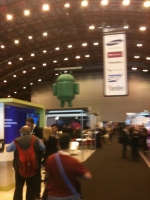
My photos from the day are below, some of dodgy quality as all are via my iPhone. There’s also the official photos available at Apps World blog

Here’s my findings, on the days events:

  • I saw several presentations at the Developer Zone and some of these presentations are now available on the Apps World website, either as Audio and/or Slides downloads. The ones I saw on the day included the following:
  • - At 1040, the presentation on Mobile Testing, by Becky Wetherill of Borland. This dealt with both areas of Mobile Testing and also Borland’s Silk Mobile testing product. One of the interesting points was that due to the number of different devices, screen sizes and O/S combinations, there’s over 100,000 possible device combinations – obviously impossible to test all of those! Therefore, the Edge Strategy is used, to test minimum and maximum O/S versions, on different devices, with minimum and maximum device screen sizes. There all also many factors which affect an Apps performance and behaviour, including O/S Versions, Screen Size and Chipsets.
  • - At 1110, the Applicasa presentation was interesting and eye-catching – their idea being to take Zombie users out of developers Apps and turn them into active/paying users
  • - At 1120, Tim King, the CTO of 5app, gave his forthright presentation on the amount of cowboys in the world of App development.
  • - At 1130, there was a presentation from Grant Skinner, on Building the Atari Arcade in HTML5 & CreateJS. His company got this projects from Microsoft and Atari and was a way of showcasing HTML5, in this case for games.
  • - After lunch, at 1300, there was then a panel from AQuA – the App Quality Alliance –  which is a non-profit organisation created by Sony, Orange, Oracle, Samsung and many others with the aim of promoting App Quality, mainly in the Android area.
  • - At 1330, there was a presentation from PayPal, on simplifying the payment experience. Part of this covered the Mobile Payments Library (MPL) for iOS and Android, which allows developers to build PayPal payments functionality right into their Apps. Another interesting fact I picked up was that PayPal provide a global test platform at developer.paypal.com where developers and testers can test the whole payment process – including multi-currencies and multi-countries. This allows all use cases to be tested before going live. Dev resources can be found at x.com/mobile and x.com/developers/paypal. Tech support is also available at paypal.com/mts.


The whole area of Mobile Payments is an interesting and intriguing one, as it seems to be where everything is heading more and more. With so many competing Mobile Payments technologies it will be interesting to see who’ll be left standing after the coming period of consolidation – surely it won’t just be PayPal? I think testing these different types of Mobile Payments is an interesting challenge, made more difficult by the sheer variety of payment options.

At Apps World, I talked to the following Mobile Payments companies briefly, some of which I’d heard of, some of which I hadn’t:

  • Zooz – they provide an SDK to developers, so they can then choose which payment options to enable for their users. They provide a sandbox for testing.
  • iZettle – similar to Square, they use a dongle to read card details and an App on the Mobile device to do the payment processing.
  • Payoneer – they provide global payment solutions, where payments are made to a prepaid Mastercard, ideal for international freelancers etc who need to be paid for their work via different online work platforms.

Overall, Apps World was well worth attending, a good way of networking and finding out the latest trends and news in the Apps World, with areas of interest for both developers and testers.


Mobile Development Platforms – iOS, Android, Blackberry, Kindle Fire

Updated: 22 May 2012 

I’ve done some research into the different Mobile Development Platforms, as there’s now so many different offerings from different manufacturers.

Here’s the current state of play:-

iPhone / iPad 
Objective-C using iOS development platform

Android
Java using Android SDK development platform

BlackBerry
Java using  BlackBerry API development platform – BlackBerry Java SDK
Can also port Android apps to BlackBerry using BlackBerry Packager for Android Apps

Amazon Kindle Fire
Uses customised version of Android OS 2.3

Sony Tablet 
Uses Android 3.1 Honeycomb

Samsung Tablets
Uses Android OS, also Samsung libraries, plus also their own Bada OS, which uses C++

All Platforms – HTML5/WebKit
Using HTML5 would allow web apps to work on all of these devices but – in most cases – you wouldn’t be able to access any of the specific hardware of each device. This may change over time, if the relevant support is added somehow.

Porting Android Apps 
From the above list, this means that if you develop an App in Android / Java you can then port it to BlackBerry and the Amazon Kindle Fire. I assume a port to the BlackBerry would take more effort/time than a port to the Kindle Fire.

April 4, TV Signal – Digital Switch Over, Stage 1

Updated April 18: – Second stage of Digital Switch Over – Repeated what I did on April 4 and all worked fine again.

Original: As today is first stage of digital signal switchover, thought there might be a few problems with the TV. For this day its only supposed to be BBC2 thats affected as it switches from Analogue to Digital. However, turned on the TV and none of the digital channels worked at all. The TV is a Sony with built in Digital Freeview tuner.

Tried a ‘Digital Auto Tune’ from the remote but that didnt work, still no channels.

Then remembered that the Sony hard disk recorder is hooked up to the aerial and then connects to the TV. So retuned that first from the remote, auto-retune and that worked well.

Tried another ‘Digital Auto Tune’ on the TV from remote but that didn’t work. So next option – which worked perfectly – was to reset to Factory Settings and let the TV do all the setups again. This worked fine.

Will probably need to do the same thing on 18 April, stage 2.